
How many credits? Compare 720p, 1080p and upscaling
Master Of Fish editorial · Last updated:
On this page
You do not need a large pack to decide what to make. Choose the quality, check this video's charge, then decide how many credits to buy. These figures use the current 10-second template and the same catalog as the site's billing.
1. How many credits does one video cost?
| Route | Credits |
|---|---|
| Generate 720p | 10 |
| Generate native 1080p | 14 |
| Generate 720p, then upscale to 1080p | 10 + 3 = 13 |
Changing between 9:16, 1:1 and 16:9 does not change these charges. Packs start at $6.99 for 10 credits. They are one-time purchases with no automatic renewal, and purchased credits do not expire.
The dollar cost per video depends on the pack you buy. The entry pack does not cover every quality setting: if a task requires more credits than the pack contains, you need a sufficient total balance. Pack prices come from Master Of Fish pricing; check the quote in the creation form for the task charge.
2. Is upscaling worth it?
For this template, 720p plus an upscale totals 13 credits, saving 1 compared with native 1080p. Both routes produce a 1080p file, but upscaling enlarges an existing video while native 1080p is a generation choice. Do not assume the visual results are identical.
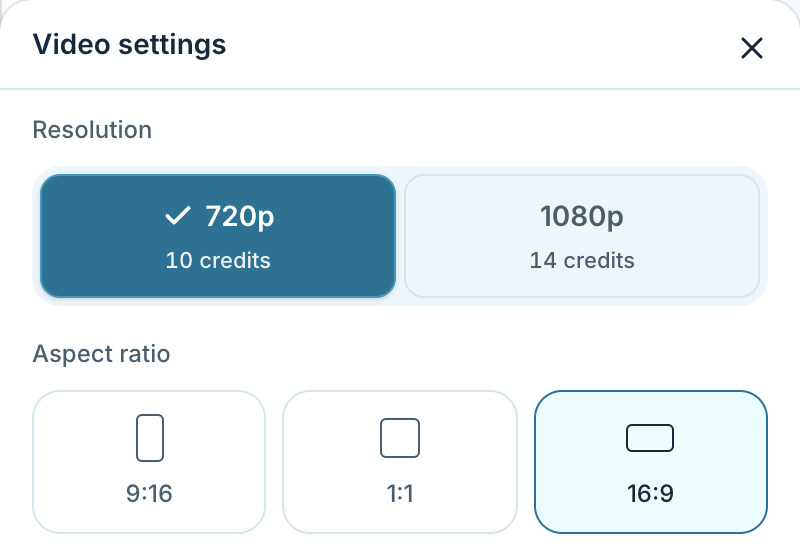
Check the quote here. The screenshot records capture-time settings; the table above and the submission form use the current catalog.
Open full-size screenshot
I suggest watching the video first. If the face, hands, action and framing look right and you want a larger file, consider upscaling. It cannot reliably fix a distorted face or a knife in the wrong place. To upscale, return to the homepage preview and select your completed video from Your videos & references. Look for the 720p → 1080p button on the preview. It appears only for eligible, unexpired work when upgrades are enabled. If it is absent, do not buy extra credits assuming an upgrade is available.
3. When are task credits returned?
Processing: check My creations. Waiting is not failure. Submitting again creates another task.
Confirmed failure: the task's reserved credits are returned. A failed upscale returns its upscale credits and preserves the successful original.
A successful video you want to remake: a new photo, target or background means a new paid generation. Disliking a completed result does not automatically create a free remake.
The refund policy states: Task credit returns restore the account balance and do not automatically refund your payment.
Use that policy to request a cash refund. If a charge looks wrong, open a support ticket with the task and order details rather than buying again to test it.