User generated
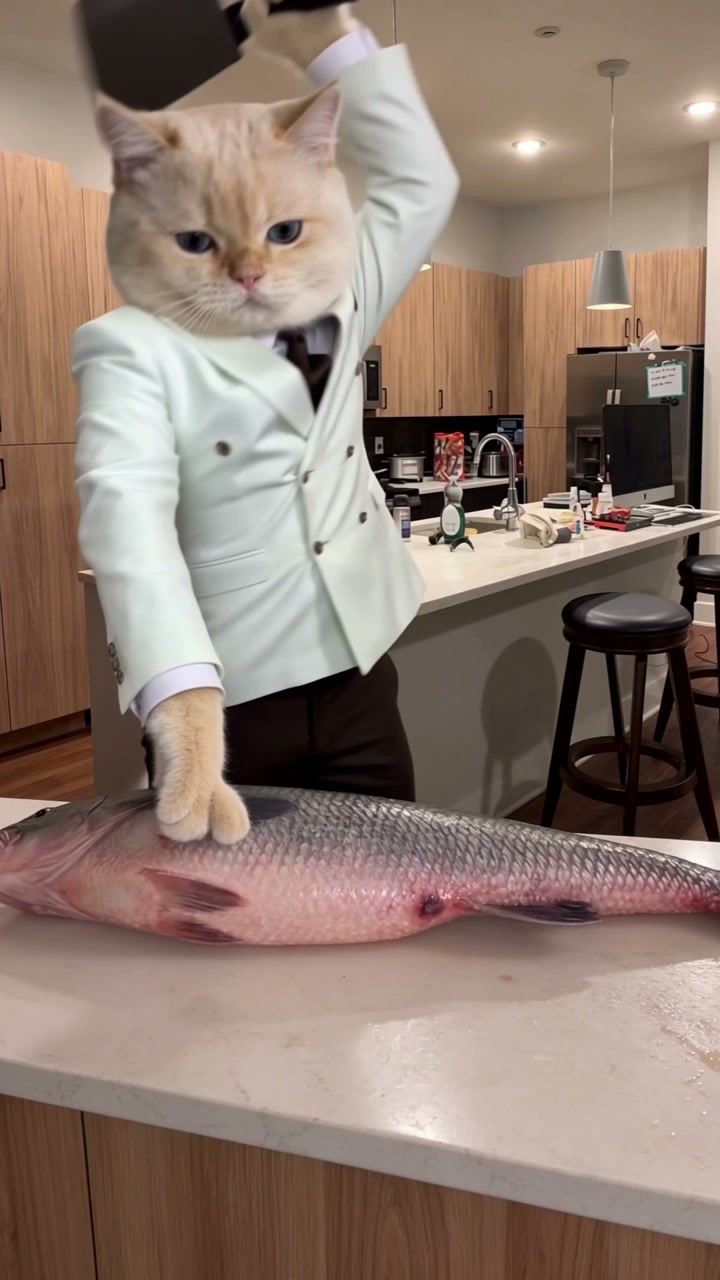
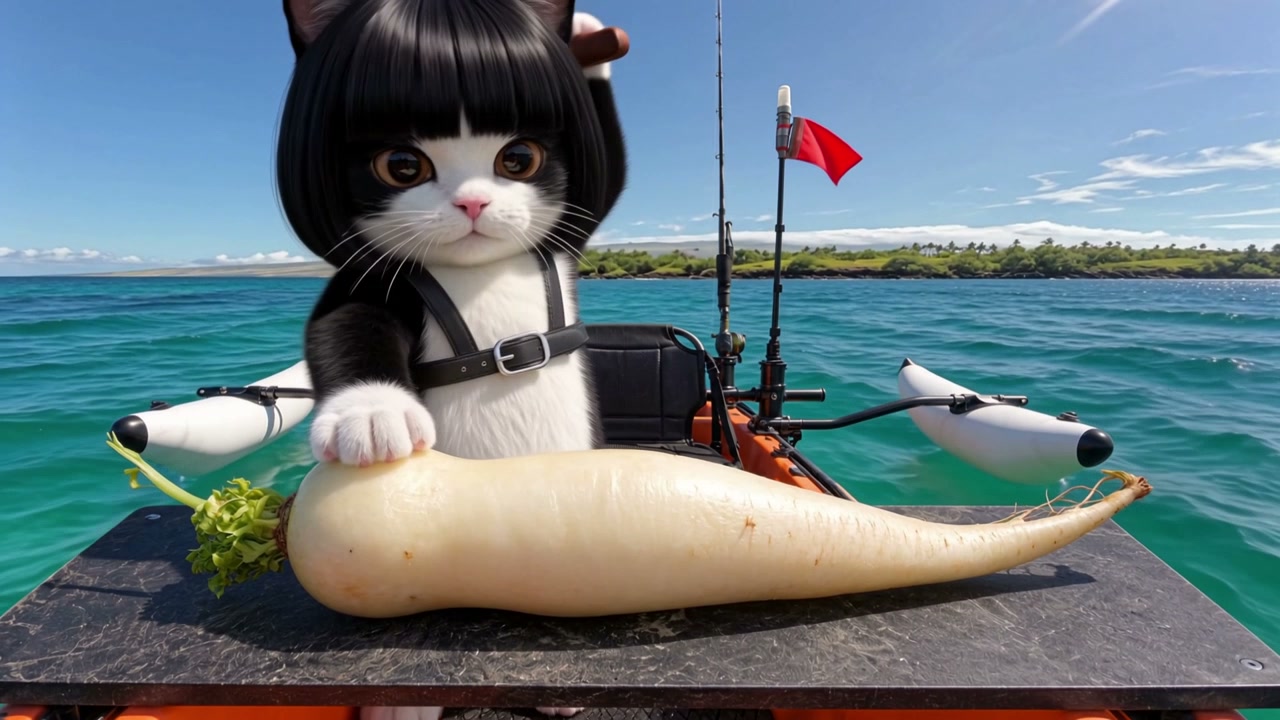
Kayak cat & daikon · user creation
Created by a user with Master Of Fish
Master Of Fish · AI Video Generator
Your photo. A new catch. Put your own twist on the fish-cutting meme with a character photo and a fish or object from our curated presets.
Master Of Fish
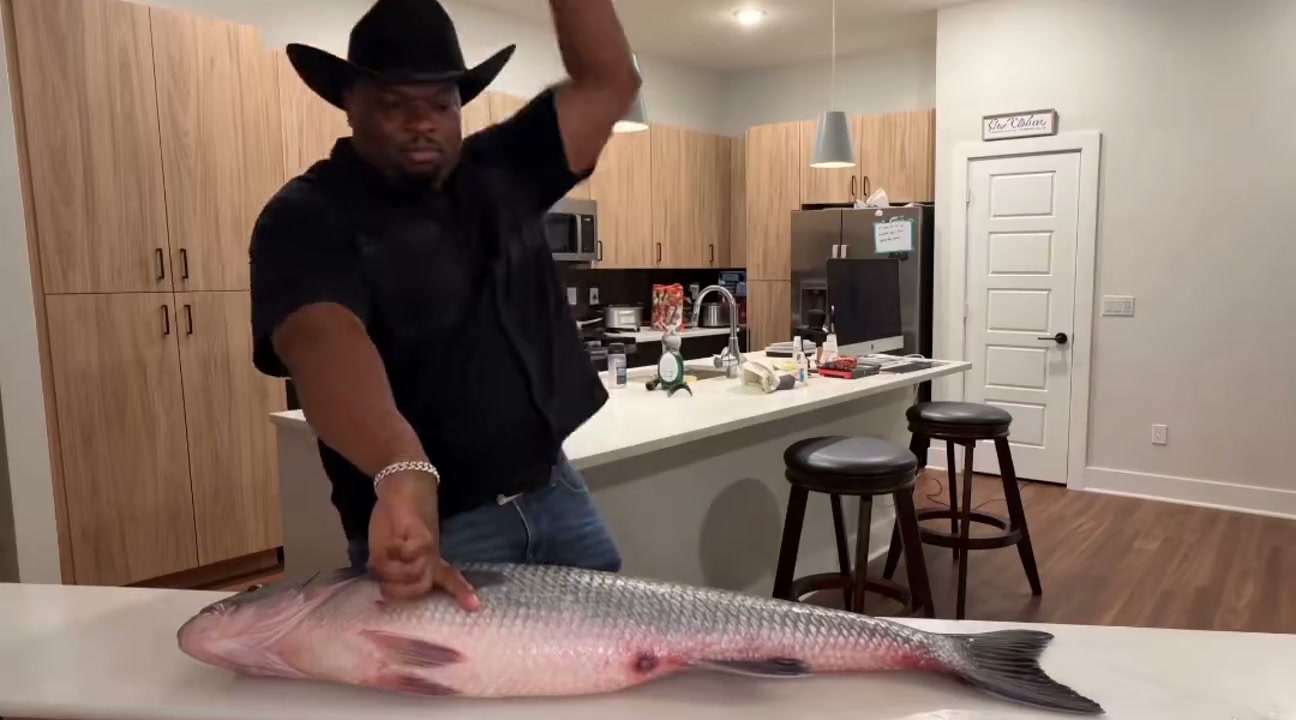
Drag the divider to compare the original with the AI recast. Both clips play in sync; only the original audio plays.
Drag to compare
More fish-cutting references
View examplesApprox. 3 minutes to generate · One-photo recast · Object & background presets · Up to 1080p
FISH CUTTING MEME · AI REMIX
Master Of Fish turns one photo into a Fish Cutting Meme video. The format shows an operator at a kitchen counter chopping an oversized fish with a cleaver, cut after cut. Fish Cutting AI refers to remaking this scene with a different person, pet or character.
The evenly spaced chops become a joke about precision. Trading-caption versions compare them with perfectly timed trade entries. TikTok remixes change who stands behind the fish; the character in your photo becomes the cutter.
ON TIKTOK
Watch user-created cat videos alongside versions shared on TikTok.
Created by a user with Master Of Fish
Created by a user with Master Of Fish
The first two videos are user creations made with Master Of Fish. The following clips are third-party TikTok examples; creator links open the original posts.
Three steps, real screens
Follow the creation form: upload a character photo, choose an object and background, then set the quality and generate. Click any screenshot to enlarge it.
Click Your operator or drag in one clear photo of a person, pet or character. Use JPG, PNG or WebP, up to 10 MB. This photo replaces the character doing the cutting.
Pick Original fish, Whole yellowfin tuna, Whole salmon or Long white radish. Keep the original background or select Ocean kayak or Forest stoves. No object or background upload is needed.
Open Settings, choose 720p or 1080p and 9:16, 1:1 or 16:9, then click Done. Check the credits shown on Generate video. Confirm you have permission to use the photo, check the consent box and click Generate video.
Sign in and have enough credits before submitting. Open My videos to follow progress, then preview and download the completed video. Check the character, motion and audio before sharing.
PRICING
Master Of Fish offers one-time credit packs from $6.99. Pack credits never expire and do not renew automatically. Confirm the credit cost before each generation.
10 credits in one purchase
$6.99one-time
≈ $6.99 per 10s video at 720p
Make your first fish-cutting clip
30 credits in one purchase
$17.99one-time
≈ $6.00 per 10s video at 720p
Try a few photos or backgrounds
110 credits in one purchase
$60one-time
≈ $5.45 per 10s video at 720p
Compare characters and cutting objects
190 credits in one purchase
$99one-time
≈ $5.21 per 10s video at 720p
Build a series around your character
400 credits in one purchase
$199one-time
≈ $4.98 per 10s video at 720p
Keep creating across several projects
Prices are in USD. One-time payment, no automatic renewal. Credits never expire.
Credits are confirmed before generation. Aspect ratio does not affect the cost.
| Template | 720p | 1080p |
|---|---|---|
| Master Of Fish10 seconds | 10 credits | 14 credits |
YOUR FISH-CUTTING REMIX
A focused workflow for one operator, a curated cutting target and reference-based action. Review the material and credits before submitting.
The character photo and cutting target have separate roles.
Understand the camera, cutting rhythm and scene before choosing.
Choose a listed preset; arbitrary cutting-target uploads are not accepted.
Select landscape, portrait or square output, then inspect the result.
Check the quote before generation; optional upscaling is separate.
Track progress and download completed work before its deadline.
YOUR QUESTIONS, ANSWERED
Master Of Fish is a photo-to-video tool for making the fish cutting AI meme. The supplied kitchen reference guides the cutting action, while your photo supplies the operator. Preview the original clip and the generated cat example to see the idea before making your own.
Read moreUpload one authorized operator photo, choose a cutting target and background preset, then select quality and aspect ratio. Review the credit quote, confirm permission and generate. Find the result in My creations and check it before sharing. The reference video is already supplied; you do not need to upload one.
Read moreChoose the original fish, a whole yellowfin tuna, a whole salmon or a long white radish. These are site-owned presets. You cannot upload your own cutting target or specify one with a link or text. Your uploaded photo is used for the operator only.
Read moreUse one clear, well-lit photo with a visible face and an unobstructed subject. A person or pet can supply the operator; the homepage includes a real generated cat example. Use photos you have permission to use. Pet anatomy, faces and paws can still distort, so one example does not guarantee the same result for every photo.
Read moreYes. Choose Original to keep the reference scene, or try Ocean kayak or Forest stoves. The reference video still guides the action. The two alternative backgrounds are AI-adapted TikTok frames with people removed, tables expanded and framing changed. They are reference images; their video results still need review. Custom background uploads are not supported.
Read moreNo exact match is guaranteed. The video guides the action, and the selected preset guides the target, but AI can change the face, hands, knife contact and object shape. Generation asks to retain source sound, but the audio can differ too. Check the generated audio and motion before sharing. Remaking a successful video is a new paid task.
Read moreYes. Choose 9:16 for vertical video, 1:1 for square or 16:9 for landscape, with 720p or 1080p quality. Changing the ratio changes the framing rather than simply stretching the reference. Review the result to make sure the operator, knife and full cutting target remain visible.
Read moreA 10-second video uses 10 credits at 720p or 14 credits at native 1080p. Credit packs start at $6.99 for 10 credits, with no subscription required. The cost in dollars per video depends on the pack you buy. Review the quote in the form before submitting.
Read moreFor the 10-second template, 720p generation uses 10 credits and an optional 1080p upscale uses another 3, for 13 in total. Native 1080p uses 14, so the two-step route saves 1 credits. Upscaling enlarges a successful video; it does not reliably fix distorted faces, hands or cutting motion.
Read moreWhen a task is confirmed as failed, its reserved credits are automatically returned. A task still processing is not yet a confirmed failure. If an upscale fails, its upscale credits are returned and the successful original is kept. Credit returns are separate from cash refunds; see the pricing and refund policy for purchase questions.
Read moreUse another person’s photo only with their permission and the necessary rights to the image. Check rights to the footage and audio before publishing, follow the platform’s AI disclosure requirements, and do not imply the person really performed the generated action. Do not use the tool for deceptive impersonation or harassment.
Sources: TikTok: AI-generated content · YouTube: disclosing AI-generated or altered content
Read moreOpen My creations to check progress, preview and download successful videos. Completed videos are available for 7 days after completion; save your copy before the displayed deadline. Watch the face, hands, cutting target and audio before posting. A task record can remain after its video file expires.
Read moreChoose a fish or object preset, then add your operator photo.